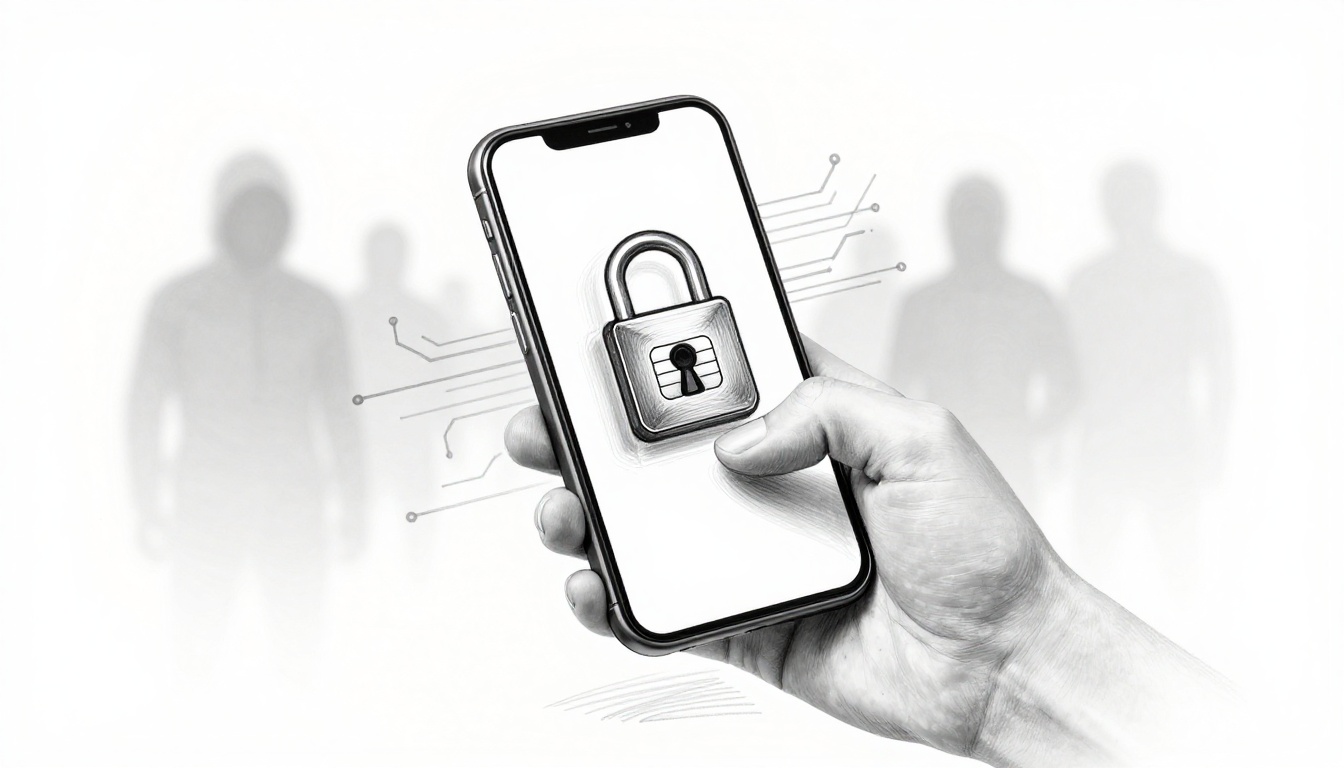
Your phone number is more valuable than your password, because it often controls account access. Since 2022, SIM-swapping attacks have surged by over 1,000% in some reporting, and the fallout keeps hitting people in 2026. FBI complaint data also shows losses jumping to $68 million in 2021, and investigations continue to grow.
A SIM swap is simple for attackers but brutal for you. Criminals trick your carrier into moving your phone number to a SIM they control. Then they intercept your calls and texts, including two-factor authentication (2FA) codes.
You might not hear about it until you can’t log in, your bank alerts change, or crypto withdrawals fail and then succeed. For a real-world example, T-Mobile agreed to a $33 million settlement in March 2025 tied to a 2020 SIM-swap case involving crypto theft, and the methods kept evolving after that.
The good news? You can lock down your phone number with carrier protections, stronger account recovery habits, and a few daily checks. Start with the steps below, and treat them like a seatbelt. It feels optional until the moment you need it.
How SIM-Swappers Steal Your Number and Why It Hits So Hard
Think of your phone number like the front door key for many online accounts. If someone holds that key, they can walk through the “forgot password” and “verify it’s you” steps.
Most SIM swaps start with social engineering, meaning attackers persuade a carrier rep to make changes. They might pretend to be you on the phone. They might use fake “lost phone” stories. In some cases, investigations and legal filings describe insider access or staff mistakes as part of the chain.
After they win the transfer, the attacker’s goal shifts to your accounts. Your carrier now sends your number’s texts to their SIM. From there, they try to:
- Steal SMS-based 2FA codes from banking, email, and crypto platforms
- Reset passwords on key accounts, then switch security settings
- Break into services that rely on your phone number for recovery
If you want a stats snapshot for what’s happening right now, see SIM swap fraud statistics 2026. Reporting tied to FBI-related case work also points to rising activity and ongoing harm.
Meanwhile, attackers keep adapting to eSIM. With eSIM, the swap can involve remote provisioning steps that bypass some in-store friction. That’s one reason protections that rely on old workflows may not be enough anymore.

The takeaway is clear: SIM swapping works because carriers often treat requests as routine, and many people still use SMS 2FA.
Common Tricks Attackers Use to Fool Your Carrier
SIM swappers do not usually need super malware skills. They need a good story, the right questions, and timing.
Here are common methods that show up in reporting and case descriptions:
- Social engineering calls: The attacker acts like you, using personal details and urgency (“I’ll lose work access if this isn’t fixed today.”).
- Spoofed caller ID: They may fake the phone number you expect, so the call sounds familiar.
- Phishing for account details: They send emails or texts that trick you into handing over data they can use later.
- Insider help or weak controls: In some cases, people with access or poor checks play a role.
A simple “lost phone” pitch can work if the carrier uses light verification. Some victims also report receiving messages that look normal at first, then learning later that their number moved or their account recovery changed.
The key point is that these attacks can feel easy because the target is not your phone app. The target is the process at your carrier.
So your defense should focus on that same process. Strengthen your carrier verification, and make sure no one can change service without extra proof.
The Real Damage: Stories and Stats from 2026
The biggest cost is often not one stolen password. It’s the chain reaction after the phone number moves.
When attackers control your texts, they can often bypass many modern security steps. After that, they hunt for anything that relies on SMS.
That can mean:
- Bank logins that fail, then succeed after a password reset
- Email takeovers that let attackers see password reset links and security changes
- Crypto account access through SMS recovery routes
Crypto scams also scale well with impersonation. Chainalysis estimates that crypto scams and fraud were enormous in recent cycles, and their 2026 reporting highlights how impersonation techniques keep spreading. See 2026 Crypto Crime Report: Scams for a broader view of how these fraud patterns evolve.
Also, eSIM doesn’t make you safer by default. In some documented cases, remote eSIM activation workflows reduced the “wait and verify” steps that victims hoped would protect them.
Even for non-crypto users, the damage can be life-disrupting. Your contacts get texts you did not send. Your bank card apps may block logins while attackers try resets. You can lose hours trying to regain access.
That’s why the best time to act is before the swap. Lock down your carrier account today.
Lock Your Carrier Account with These Must-Have Features
Start by calling your carrier and treating it like a security appointment. Ask for protections that block SIM swaps, port-outs, and number changes without extra proof.
Most carriers now offer some version of these tools. Even if yours does not call it “SIM swap protection,” you can often find features tied to account locks, PINs, or transfer approval.
Also, document what you set up. Write down the date, the feature name, and any confirmation details. If you ever need support, that paper trail speeds things up.
This is your first defense line because the swap happens at the carrier layer. If the transfer request fails there, the rest of the attack never starts.
Set Up a Strong PIN and Verification Rules
A SIM transfer PIN (or similar carrier PIN) adds friction to changes. If a thief cannot pass verification, they can’t move your number.
When you set a PIN, pick something that’s hard to guess but easy for you to remember. Avoid common patterns like 1234 or your birthday year.
Then push for stronger verification rules. Ask whether the carrier can require more than one identity check, even when the request comes from “you.”
Here’s what to do on the call:
- Ask for a PIN or account security code tied to number changes
- Request that the carrier blocks SIM changes without that PIN
- Confirm whether support agents must verify using multiple questions
- Write down the exact feature name and when it’s enabled
If your carrier offers strict rules, it matters. If it offers “verification by any means,” it may still be too weak.
For Verizon users, the carrier documents SIM protection and number lock options directly in support materials, including how to enable and disable. See Enable or disable SIM protection.
Activate SIM Lock or Port Protection Now
PINs help, but locks help more. Locks stop attackers from completing swaps even if they know basic info.
Look for a feature that blocks:
- SIM changes across networks
- Port-outs (moving your number to another carrier)
- eSIM transfers without extra approval
AT&T, for example, supports SIM card locking with a PIN. The carrier explains how the PIN follows the SIM card when used on other devices. See Lock SIM card with PIN code.
Not every plan has the same options, so ask the rep for the specific protection that blocks “SIM swap” and “port-out” requests. If you can, enable both.
If your carrier offers an account lock, use it. If you see settings for eSIM safeguards, enable those too.
And if you learn your carrier has weak controls, consider switching. The swap threat is real, and you should match your provider’s risk level with your own.
Add Extra Shields: App Security and Daily Habits That Block Hackers
Carrier locks reduce the odds of a swap. But attackers still try. That’s why you need a second layer that doesn’t depend on SMS texts.
The most important move is changing how you do 2FA, then tightening your everyday habits.
Ditch Texts for Authenticator Apps
SMS 2FA sends codes through your phone number. If your number gets moved, the codes move too.
App-based 2FA generates codes on your device. The code never needs to rely on carrier delivery. That’s why security reviews often rate authenticator apps as safer than SMS for most people.
TechRadar’s testing notes this core difference, including why SMS can be intercepted during SIM swaps, while an authenticator app keeps the code on your device. See best authenticator apps for 2026 for comparisons and selection tips.
When switching, do it in this order:
- Turn on 2FA for your most important accounts first (email, then banking, then password managers)
- Choose an authenticator app that supports backup options
- Store backup codes offline, like you store your passport copy
If you worry about losing your phone, set up recovery steps inside the authenticator app. Some apps offer backup methods like QR-based re-adding on a new device. Use them while you still can access your accounts.
Also, avoid relying on “push to approve” alone. Add a PIN to your phone, and set up screen lock timeouts short enough to protect you.
Smart Habits to Dodge Phishing and Stay Alert
SIM swapping often begins with the attacker learning enough about you to sound real. That means phishing matters, even if you never clicked a link before.
Use these habits to shrink the attacker’s window:
- Treat “urgent” messages as suspicious, especially if they want personal details.
- Check the sender address closely. Tiny misspellings often show up.
- Don’t share SMS codes with anyone, even if they claim to be support.
- If you get an unexpected password reset email, lock things down fast.
- Use a password manager, and avoid reusing passwords across sites.
Also watch for call tricks. Attackers may call and claim there’s an issue with your account. They might ask you to verify details or confirm a change.
If a call seems rushed, hang up. Then contact your carrier using the number from your carrier site or your account page.
That habit stops a lot of “social engineering” loops. It also buys you time to verify what you’re hearing.
Finally, keep an eye on your accounts after you make changes. If you notice new devices, new recovery options, or login alerts you don’t recognize, act quickly. Timing is everything when money and account access are on the line.
Caught in a Swap? Quick Action Steps to Fight Back
If your service drops, your texts stop, or you notice strange account activity, treat it like an emergency. Your goal is to regain control before attackers cash out or lock you out.
Speed saves money. It also saves stress.
First Moves: Reclaim Your Number and Secure Accounts
Start with your carrier. Call support and ask for immediate help reclaiming your number. Mention that you suspect a SIM swap or port-out attempt.
Then secure your accounts from another device (a laptop or a different phone). Change passwords for:
- Email (because it controls resets)
- Banking and major financial apps
- Crypto exchanges and wallets that use SMS recovery
Use strong, unique passwords and turn on 2FA changes right away. If you can, switch away from SMS 2FA to an authenticator app for the highest risk accounts.
Also ask the carrier to document what happened. Get the date and time of the change, and the method used. Write down the rep’s name and any case number.
Here’s a simple checklist you can follow:
- Call your carrier immediately to stop the swap and restore service
- Change email password from another device
- Change passwords for bank and money services
- Turn on authenticator-app 2FA for key accounts
- Save evidence (screenshots, emails, case numbers)
If you don’t have access to your email right away, focus on stopping further damage by contacting financial institutions first.
Report It and Recover What You Can
Next, report the incident. Many people miss this step, but it can help with investigations, account disputes, and possible carrier or financial recourse.
File a police report if money or access theft happened. Also consider reporting to the right federal or state channels in the US. Your carrier may ask for a report number later.
If crypto theft is involved, legal filings and attorney summaries often point out that SIM swap victims may have legal options depending on facts, timing, and telecom rules. For an overview of how courts analyze carrier duties and losses in these cases, see Sprint v. FCC and crypto theft context.
Also alert your bank, card issuer, and any exchange or wallet provider. Ask them to freeze accounts, reverse transfers when possible, and watch for new logins.
Keep a tight timeline. Attackers move fast, and a clear sequence helps everyone involved.
Above all, don’t wait for “tomorrow.” If you think it happened, act today.
Conclusion
Your opening hook was right: a SIM swap can turn your phone number into a key for your other accounts. The strongest fix starts at the carrier. Add a transfer PIN and enable any SIM lock or port protection your provider offers.
Then move your 2FA off SMS where you can. App-based codes and safer password habits reduce the damage when attackers try anyway.
Finally, stay alert. Watch for phishing, verify suspicious calls, and keep a quick response plan ready.
If you do one thing today, call your carrier and confirm your number-change protections are active. Then set up authenticator app 2FA for your most important accounts, before 2026 attacks get worse.