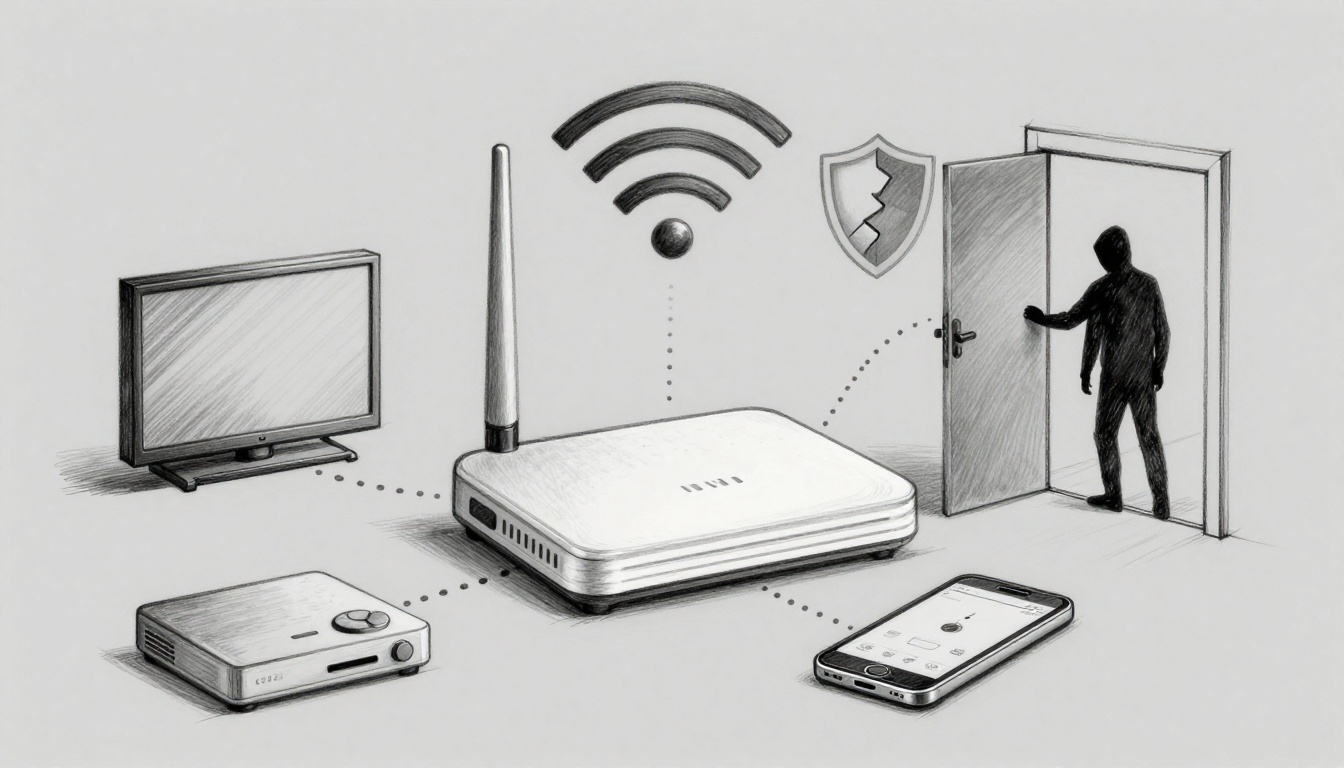
You plug in a new smart TV or game console, and it works right away, no setup hassles. That instant ease often comes from Universal Plug and Play (UPnP), a feature that helps devices find each other and open network ports automatically.
However, UPnP risks don’t stop at convenience. In 2026, reports and security scans still point to major trouble spots, including thousands of routers with UPnP exposed to the internet, plus malware and botnets that use UPnP to punch holes in defenses. Since UPnP can skip key security checks, attackers may sneak in, spread malware, and even set up traffic floods.
So even if everything feels fine today, you need to understand what UPnP exposes and how to spot real threats, plus the fixes that reduce your risk fast.
What Is UPnP and Why Does Your Router Use It?
Universal Plug and Play (UPnP) helps your home network set up connections without you doing much. In simple terms, UPnP is an automatic door opener that lets devices on your Wi-Fi find each other and start services. As a result, your smart TV, game console, or media server can work faster, often with no manual steps.
Still, “works right away” can hide a serious tradeoff. UPnP was built to reduce setup friction, and that convenience shows up in how routers handle permissions. This is a big part of why the phrase Universal Plug and Play explained often comes with security warnings.
On many routers, UPnP also supports router tasks like port mapping. That means a device can request a network pathway, so outside traffic reaches the right internal service. If you run services like game hosting or a home media server, this can feel helpful.
The next piece is the core flaw that makes UPnP risky, especially when malware gets onto your network.
The Core Problem: No Passwords or Permission Required
Think of UPnP like leaving your front door unlocked, because you want guests to grab a key and enter quickly. Inside your home, it feels fine, until you realize anyone with access to the porch can walk in and use the house.
With UPnP, many routers do not require strong authentication for local devices to make control requests. So if a laptop, phone, or smart device on your Wi-Fi gets infected, that malware can often ask the router to open paths it should not open. Then it can forward ports, expose internal services, or change settings in ways you never intended.
In practice, malware often uses UPnP as a “push-button” for port forwarding. First, it discovers what the router will accept. Next, it submits requests that make the router publish a door to the internet. After that, attackers can use the opened door to probe, access, or move deeper inside the network.
If you want a more technical baseline for what UPnP is meant to do, see the UPnP Forum’s device architecture documentation in Universal Plug and Play device architecture.

The key takeaway is simple: UPnP can turn “someone is on my Wi-Fi” into “someone can control my router.” That shift is where many real-world infections become much harder to stop.
How Hackers Turn UPnP into a Backdoor for Your Network
UPnP was designed to make home networking easy. Still, attackers treat it like a public service window with no guard at the door. When your router auto-opens ports, it can also auto-open paths for trouble.
Flash Attacks and NAT Traversal Tricks
One of the scarier ways UPnP vulnerabilities exploited show up is through Flash UPnP attacks. The basic idea is simple. A victim browses a booby-trapped site that serves a malicious Flash file. That file sends UPnP requests from the victim’s browser to the router. As a result, the router starts opening ports or changing settings without the victim doing anything risky.
Many attacks focus on port mapping. Think of it like handing an attacker a spare key, then watching the router walk the key into the right lock. Once ports open, the attacker can reach internal devices from the internet. They can also set up “quiet” access paths that last until you reboot, reconfigure, or the attacker stops touching the router.
Next comes NAT traversal. NAT usually helps block unsolicited traffic. UPnP can bypass that expectation by punching holes through the router’s network barriers. So the firewall rules you rely on may never see the traffic the same way.
In practice, these tricks can create a hidden backdoor that stays active for months, especially on routers that do not log well or get firmware updates. For background on why UPnP still stays risky, see what UPnP does and why it matters.

Malware Masters: Mirai and Pinkslipbot
Not all UPnP abuse starts with a browser trick. In many real incidents, malware first lands on one device, then it asks the router for extra reach.
Mirai is the classic example. Botnet operators use scans to find weak IoT devices, including devices that expose services through UPnP. After it infects targets, Mirai turns them into zombies. Then it coordinates large DDoS attacks that flood services and knock them offline. If you remember how Mirai made headlines, that’s why. UPnP exposure helps some infected devices reach the internet in the first place.
Now look at Pinkslipbot, also called QBot. This malware family often runs a quick check: “Does the router support UPnP?” If it does, the malware can push UPnP requests to create port openings and relay paths. After that, it can route traffic through infected machines and work on credential theft goals, including banking credential capture and other session abuse. In other words, it uses your router like a mailroom mailbox, then intercepts the delivery.
If you want a concrete example of Pinkslipbot’s UPnP connection, read Pinkslipbot and UPnP credential theft.
On a practical level, this is why UPnP checks come early in many campaigns. Attackers want certainty before they invest time in exploitation. Once the router complies, the next steps get faster and more reliable.
Real-World Disasters and Fresh 2026 Warnings
The scary part about UPnP security incidents 2026 is how familiar the pattern looks. First, a flaw shows up. Then, scanners find exposed routers. After that, attackers use the same shortcuts, over and over.
Even in 2026, UPnP does not feel “set it and forget it.” It’s more like leaving a toolbox key on the porch, then hoping nobody walks up at night.
Why Thousands of Devices Still Sit Exposed
Many devices stay exposed for boring reasons, not because owners ignore warnings. Routers ship with UPnP enabled by default. Updates often arrive late. Some people never update at all, especially when the router is managed by a small business, a landlord, or an inherited ISP model.
Meanwhile, attackers keep doing what they do best: they scan. In older findings, Shodan data showed millions of UPnP-exposed devices, and a large share still had UPnP enabled. Even without brand-new scan counts, the threat mechanics remain the same, because UPnP works by opening paths inside your network.
In 2013, DHS and CISA warned that UPnP issues in router gear could leave large numbers of devices at risk, and they urged people to disable UPnP when possible. Today, the “hidden” risk still persists, because many owners treat UPnP as harmless convenience.
Fresh examples prove the point. For instance, TP-Link published a denial-of-service advisory for CVE-2026-3622 affecting UPnP on the TL-WR841N v14, where crafted messages can crash the UPnP service and disrupt connectivity. If your router stops responding to UPnP, it can still leave a messy window for attackers who probe while you troubleshoot. For vendor details, see TP-Link’s CVE-2026-3622 advisory.

Lock It Down: Easy Ways to Disable UPnP and Stay Safe
Once you know what UPnP can do, the next move is simple: reduce what your router can expose. Think of UPnP as an auto-opening side door. You can keep the main front door locked and still let guests in the usual way, but you should stop the side door from swinging wide on its own.
First, take a quick snapshot of your setup. Then, disable UPnP in your router settings, and confirm it stayed off. Finally, review safer options like manual port forwarding and using a VPN when you truly need remote access.
Quick Checks for Your Setup Right Now
Before you change anything, it helps to confirm two things: is UPnP responding from the internet, and is your router actually using UPnP inside your network. You can do both with tools that do not require deep tech skills.
Start with an outside scan. Use a free test site like GRC ShieldsUP! UPnP Exposure Test. It sends a probe to your public IP and checks whether a public UPnP SSDP response comes back. If your result looks “open,” treat it as a real sign to act fast.
Next, consider a general port scan tool. For example, Open Port Scanner from DNSChkr can help you verify whether common UPnP-related ports respond from the public side. On many home networks, UPnP traffic often ties to UDP port 1900, but don’t guess. Scan, then move on.
After that, check router firmware. Many UPnP issues persist because routers ship with risky defaults or fall behind on updates. For instance, TP-Link published a March 26, 2026 firmware update addressing a UPnP crash issue (CVE-2026-3622) for the TL-WR841N v14. Even if you plan to disable UPnP, updates still matter because they improve stability and fix related bugs.
If you want a quick “quick-and-safe” workflow, do this:
- Run one outside UPnP or port scan from a phone on mobile data.
- Log into your router and confirm your UPnP setting status.
- Update firmware to the latest version for your exact model.
- Disable UPnP, save changes, and reboot the router.
- Scan again from outside to confirm the result improved.

When you finish these checks, you will know whether you are tightening a locked door or securing one that was never locked at all. That clarity makes the next step, disabling UPnP, feel straightforward instead of risky.
Conclusion
UPnP feels friendly because it reduces setup work, but that same convenience can turn into real exposure. When a router skips strong checks, attackers can use easy exploits, bounce through malware, or even aim at fresh issues like CVE-2026-3622 on TP-Link models.
Therefore, the best protection is also the simplest: disable UPnP unless you truly need it. Then update your router firmware, since new flaws and DoS style bugs can still show up even years after UPnP first became popular.
Next step: check your router settings today, confirm UPnP is off, then run a quick outside test scan. If you found this helpful, share the post, because more safe setups mean fewer devices getting pulled into the same UPnP risks summary. Small change, big security win. What will you check first?